

Microsoft Azure Administrator AZ-104 Training & Certification
Trusted by 1000s of global organizations, NovelVista is the leading Accredited Training Organization (ATO) to conduct Azure (AZ -104) Training & Certification Course.
- Industry Expert Trainers
- Online learning session
- Accredited Trainer
- Exam fee included

Microsoft Azure Administrator AZ-104 Training & Certification Course Overview

What You Will Get?
Learning Outcome
After the completion of the course, the participants would be able to:
Training Calendar
English
- Self paced videos, assessments, recall quizzes, more
- For more details, reach us at training@novelvista.com
Includes Training, Exam & Certification
Lifetime Access
- Self paced videos, assessments, recall quizzes, more
- For more details, reach us at training@novelvista.com
Includes Training, Exam & Certification
Course Curriculum
Manage azure ad objects+
- Create users and groups
- Manage user and group properties
- Manage device settings
- Perform bulk user updates
- Manage guest accounts
- Configure azure ad join
- Configure self-service password reset
- Not: azure ad connect; pim
Manage role-based access control+
- Create a custom role
- Provide access to azure resources by assigning roles o subscriptions
- Resource groups
- Resources (vm, disk, etc.)
- Interpret access assignments
- Manage multiple directories manage subscriptions and governance
- Configure azure policies
- Configure resource locks
- Apply tags
- Create and manage resource groups
- Move resources
- Remove rgs
- Manage subscriptions
- Configure cost management
- Configure management groups
Implement and manage storageManage storage accounts+
- Configure network access to storage accounts
- Create and configure storage accounts
- Generate shared access signature
- Manage access keys
- Implement azure storage replication
- Configure azure ad authentication for a storage account manage data in azure storage
- Export from azure job
- Import into azure job
- Install and use azure storage explorer
- Copy data by using azcopy
Configure azure files and azure blob storage+
- Create an azure file share
- Create and configure azure file sync service
- Configure azure blob storage
- Configure storage tiers for azure blobs
- Deploy and manage azure compute resources
Configure vms for high availability and scalability+
- Configure high availability
- Deploy and configure scale sets
Automate deployment and configuration of vms+
- Modify azure resource manager (arm) template
- Configure vhd template
- Deploy from template
- Save a deployment as an arm template
- Automate configuration management by using custom script extensions create and configure vms
- Configure azure disk encryption
- Move vms from one resource group to another
- Manage vm sizes
- Add data discs
- Configure networking
- Redeploy vms
Create and configure containers+
- Create and configure azure Kubernetes service (aks)
- Create and configure azure container instances (aci)
- Not: selecting an container solution architecture or product; container registry settings create and configure web apps
- Create and configure app service
- Create and configure app service plans
- Not: azure functions; logic apps; event grid
Implement and manage virtual networking+
- Create and configure vnet peering
- Configure private and public ip addresses, network routes, network interface, subnets, and virtual network
Configure name resolution+
- Configure azure dns
- Configure custom dns settings
- Configure a private or public dns zone
Secure access to virtual networks+
- Create security rules
- Associate an nsg to a subnet or network interface
- Evaluate effective security rules
- Deploy and configure azure firewall
- Deploy and configure azure bastion service
- Not: implement application security groups; ddos configure load balancing
- Configure application gateway
- Configure an internal load balancer
- Configure load balancing rules
- Configure a public load balancer
- Troubleshoot load balancing
- Not: traffic manager and frontdoor and privatelink monitor and troubleshoot virtual networking
- Monitor on-premises connectivity
- Use network performance monitor
- Use network watcher
- Troubleshoot external networking
- Troubleshoot virtual network connectivity
Integrate an on-premises network with an azure virtual network+
- Create and configure azure vpn gateway
- Create and configure vpns
- Configure expressroute
- Configure azure virtual wan
Monitor resources by using azure monitor+
- Configure and interpret metrics
- Analyze metrics across subscriptions
- Configure log analytics
- Implement a log analytics workspace a configure diagnostic settings
- Query and analyze logs a create a query
- Save a query to the dashboard
- Interpret graphs
- Set up alerts and actions
- Create and test alerts
- Create action groups
- View alerts in azure monitor
- Analyze alerts across subscriptions
- Configure application insights
- Not: network monitoring
Implement backup and recovery+
- Configure and review backup reports
- Perform backup and restore operations by using azure backup service
- Create a recovery services vault
- Use soft delete to recover azure vms
- Create and configure backup policy
- Perform site-to-site recovery by using azure site recovery
- Not: sql or hana
Course Details
What Will I Learn:+
- Core Azure services
- Workloads
- Security, and governance
- PowerShell
- Command-Line Interface (CLI)
- Azure Portal
- ARM (Azure Resource Manager) Templates
- Manage Azure identities and governance
- Implement and manage storage
- Deploy and manage Azure compute resources
- Configure and manage virtual networking
- Monitor and backup Azure resources
Eligibility:+
Microsoft Azure Administrator AZ-104 training is perfect for you if You have following level experience:
- IT Administrator
- System Admin
- Cloud Architect
- Solution Architect
Target Audience:
- People who want to become Azure cloud architects
- People preparing for Microsoft’s AZ-104 exam
Prerequisites+
- There are no prerequisites for AZ-104 Microsoft Azure Administrator training sessions as such. But it is recommended for the candidates with at minimum 6-months of hands-on experience administering Azure.
- After completing this certification you can also go for AZ-400 Microsoft Certified: DevOps Engineer Expert if you want to become a certified azure expert.
Training Faculty+
- We pick the best ones to train for this particular batch. They have experience of 12+ years in the industry. They’re currently working with top MNCs on Microsoft Azure and training aspiring virtual networking experts like you as a freelancer in NovelVista.
- They’ve been into the training industry for more than 7 years and have trained more than 6000 IT professionals.
Microsoft Azure Administrator AZ-104 Exam Format
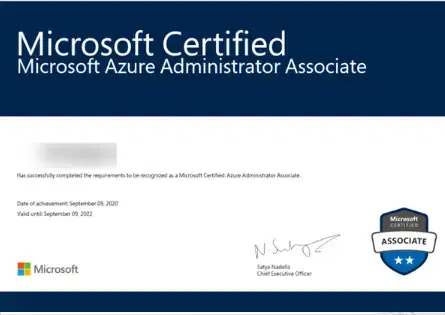
We will share available exam slots (post-training completion) with you to schedule your examination
To earn this certification you only need to pass Exam AZ-401 to earn this certification
Number of Questions: 40-60
Length: 4 days Training Session
Delivery method: Classroom
Level: Expert
Passing Score: 70%